
So you’ve picked up a smart bulb or two, maybe a smart plug, and now you’re wondering — what’s next? That’s exactly where automation comes in. And before you assume it’s complicated, it really isn’t.
If you can set an alarm on your phone, you can set up a smart home routine.
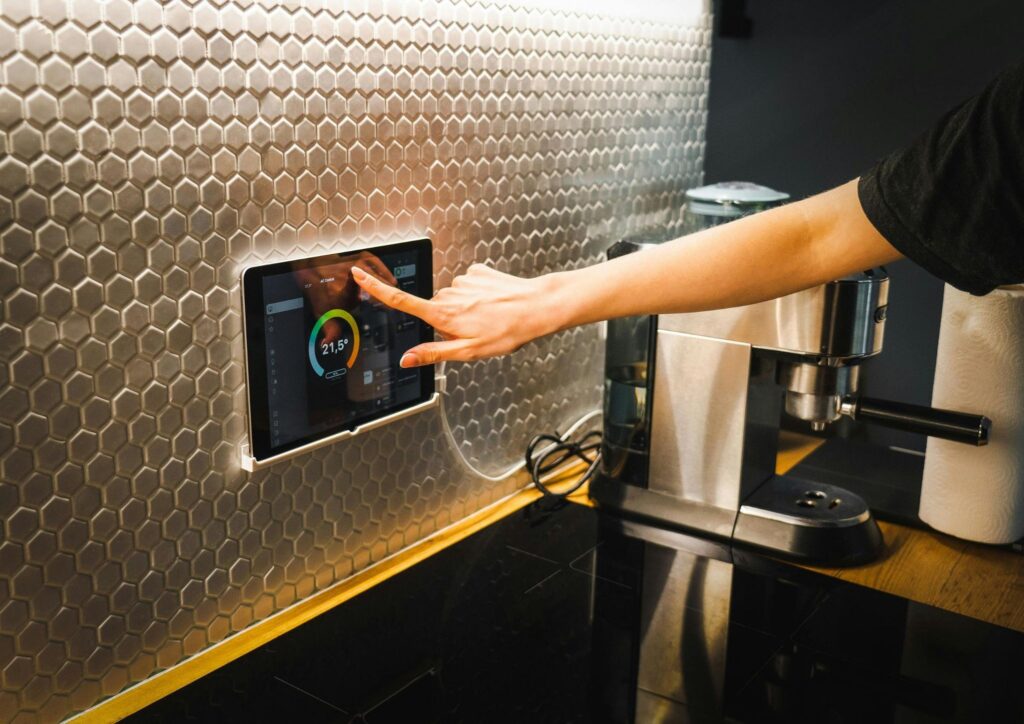
This smart home automation for beginners guide is for people who have already dipped their toes into smart devices and are ready to make them actually work together.
We’ll cover routines, scenes, the logic behind how automations work, and the most useful setups to start with — no tech background required.
Smart Devices vs. Smart Home Automation — What’s the Difference?
Having smart devices and having a smart home are two different things.
A smart bulb you turn on through an app is convenient, sure. But it’s not much different from a regular light switch — you’re still doing the action manually.
Automation changes that. Instead of you telling your home what to do, your home figures it out based on rules you’ve set in advance.
Think of it this way: a smart device responds to you. An automation responds to context — the time of day, your location, whether you’re home, or what another device is doing.
That shift — from manual control to contextual automation — is what makes a smart home genuinely useful rather than just a novelty.
Step One: Pick Your Ecosystem (and Stick to It)
Before setting up any automations, you need to decide which platform you’re building around. The three main options are:
- Amazon Alexa — widest device compatibility, great for voice control, strong routine builder
- Google Home — intuitive app, excellent if you’re already in the Google ecosystem
- Apple HomeKit — best privacy and security, ideal for iPhone/Mac users, slightly fewer compatible devices
All three support routines, scenes, and automation triggers.
The important thing is not to mix and match without a plan. If half your devices talk to Alexa and the other half only work with Google Home, you’ll hit walls fast.
The good news: if you’re buying new devices in 2026, look for the Matter logo on the packaging. Matter is a universal compatibility standard that lets devices work across Alexa, Google Home, and Apple HomeKit — so you’re not locked in. It’s become the smart shopper’s default.
If you’re just starting out and unsure which ecosystem to choose, our best smart home upgrades for beginners guide covers the key devices and how they fit together.
How Automations Actually Work: Triggers, Conditions, and Actions
Every automation — no matter how complex it looks — follows the same basic logic:
If [trigger] + [condition] → then [action]
- Trigger: What kicks off the automation. Could be a time (6:30 AM), an event (you arrive home), a sensor detecting motion, or even a sunrise/sunset.
- Condition: An optional filter that must also be true. For example, “only run this if it’s a weekday” or “only if nobody else is already home.”
- Action: What actually happens. Lights turn on, thermostat adjusts, doors lock, music starts.
That’s genuinely all there is to it. The apps do the rest. You don’t write code — you fill in the blanks.
The Four Routines Every Beginner Should Set Up
Start here. These are the most practical automations for day-to-day life, and they’re easy to build in any of the major apps.
1. Good Morning Routine
Trigger: Time (e.g., 6:30 AM, weekdays only)
Actions:
- Gradually brighten bedroom lights (if you have dimmable smart bulbs, this is a much gentler wake-up than an alarm)
- Raise the thermostat to your daytime temperature
- Turn on a smart plug connected to your coffee maker
- Play a morning news briefing through a smart speaker (optional)
This routine is low-effort to set up and immediately noticeable. It’s also one of those automations that, once you have it, you’ll wonder how you lived without.
2. Goodnight Routine
Trigger: A set time, or triggered manually by saying “Goodnight” to your assistant
Actions:
- Turn off all lights throughout the house
- Lock the front door (if you have a smart lock)
- Drop the thermostat to your sleep temperature
- Turn off any smart plugs you don’t need running overnight
This one is particularly useful because it handles the “did I lock the door?” anxiety. You say goodnight once, and everything is taken care of.
3. Away from Home Routine (Geofencing)
Trigger: Your phone leaves a set radius around your home (geofencing)
Actions:
- Turn off all lights
- Set thermostat to an eco/away temperature
- Lock doors
- Arm security cameras
Geofencing sounds technical but every major platform supports it out of the box.
You essentially draw a virtual boundary around your home, and when your phone crosses it, the automation fires.
It’s one of the best energy-saving moves you can make — your home stops heating or cooling an empty house automatically.
The U.S. Department of Energy’s energy-saving guidelines consistently highlight smart thermostat management as one of the most impactful ways to reduce home energy use.
4. Arriving Home Routine
Trigger: Your phone enters the geofence boundary
Actions:
- Turn on the entryway or living room lights
- Set thermostat back to your preferred temperature
- Unlock the front door (some people prefer this; others don’t — your call)
- Play your preferred playlist
After a long day, walking into a lit, comfortable home that adjusted itself for you is a small but real upgrade to daily life.
Scenes: What They Are and Why They’re Different from Routines
A scene is a snapshot of a specific state — it doesn’t trigger automatically, but it lets you change multiple devices at once with a single command or tap.
Think of a scene as a preset. Instead of dimming the lights, lowering the blinds, and adjusting the speaker volume one by one for movie night, you just activate the “Movie Night” scene and everything shifts at once.
Useful scenes to create:
- Movie Night — dim lights to around 20%, lower smart blinds if you have them, set speaker volume
- Dinner — warm white lighting in the dining area, softer than full brightness
- Focus Mode — bright, cool-toned lights in your workspace, notifications paused on your smart speaker
- Guest Mode — comfortable lighting throughout common areas, thermostat at a neutral temperature
- Wind Down — warm, dim lighting an hour before bed, helps signal to your body that it’s time to sleep
Scenes are built in the same app as your routines. Most platforms let you activate them by voice, from a widget on your phone, or by tapping a smart button mounted on the wall.
Voice, App, or Automation — Knowing When to Use Each
Not everything needs to be automated, and over-automating creates its own frustrations. Here’s a simple rule of thumb:
- Automate things that happen on a predictable schedule or based on your location — morning routines, away mode, arriving home.
- Use voice for things that are situational and happen a few times a day — “turn off the kitchen lights,” “set the thermostat to 68.”
- Use the app for occasional adjustments or checking status when voice isn’t practical.

The goal isn’t to automate everything. It’s to automate the repetitive stuff so you can stop thinking about it.
Common Beginner Mistakes (and How to Avoid Them)
Weak WiFi
Smart home devices rely entirely on your network.
If you have dead zones or a router that struggles with more than a handful of devices, you’ll get drop-offs, delays, and frustration.
Consider a mesh WiFi system if your home is larger than a single-story apartment.
Buying devices from different ecosystems without checking compatibility
A great price on a smart bulb means nothing if it doesn’t work with the rest of your setup.
Always check compatibility before buying, or look for the Matter badge.
Setting up too many automations at once
Start with one or two routines, live with them for a week, then add more. If you build fifteen automations on day one, you won’t know which ones are working well and which ones are annoying you.
Skipping security basics
More connected devices means more entry points. Use a strong, unique password for your smart home account, enable two-factor authentication, and keep device firmware updated. It takes ten minutes and it matters.
Where to Go from Here
Once your core routines are running smoothly, the natural next step is adding more devices to build out the system.
A smart thermostat adds real energy savings to your automation stack.
Smart leak detectors paired with your away routine give you peace of mind when you travel.
A video doorbell integrated with your arriving home scene means the porch light is already on when you pull up.
The key is building gradually and intentionally — not buying everything at once and hoping it works together.
If you haven’t yet covered the device basics, our best smart home upgrades for beginners is the right place to start.
And if you’re thinking about broader home improvements alongside your smart setup, the beginner’s guide to home renovation will help you plan it all without overspending.
You can also find budget-friendly ways to get started in our roundup of DIY home upgrades under $100 — several of the best entry-level smart devices fall comfortably within that range.
Final Thought
Smart home automation doesn’t have to be a weekend project.
Set up a Good Morning routine tonight. Add a Goodnight routine tomorrow. Create a Movie Night scene when you get around to it.
Done over a few weeks, it’s effortless — and the result is a home that genuinely works a little harder for you.
Start with one routine. You’ll know what to add next.


Pingback: Smart Light Switch vs Smart Bulb: Which One Should You Install? - DIY Upgrade Hub